
As an Agent you can personalize your profile so that End-users and other agents can see your photo and signature. Profiles also contain important contact and employee department data. For employees the department data is synced daily with an HR Database. Agent data such as Role, and Groups is managed by your Zendesk Administrator.
Adding a photo to your profile
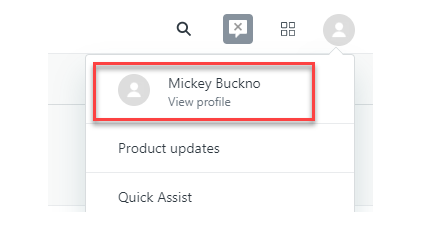
1. Click on the profile icon located on the top right corner of the page > Select view profile.
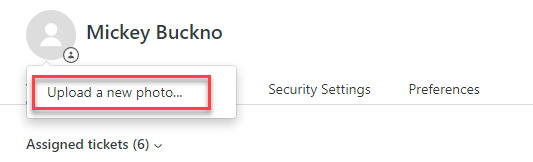
2. Click on the profile icon > Select Upload a new photo.
3. Select an image > Click on Open.
Adding a Signature to your profile
The signature will get added to all your ticket comments and email notifications.
1. Open your profile page
2. Click the Signature field and type the text for your signature.
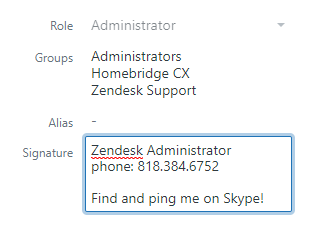
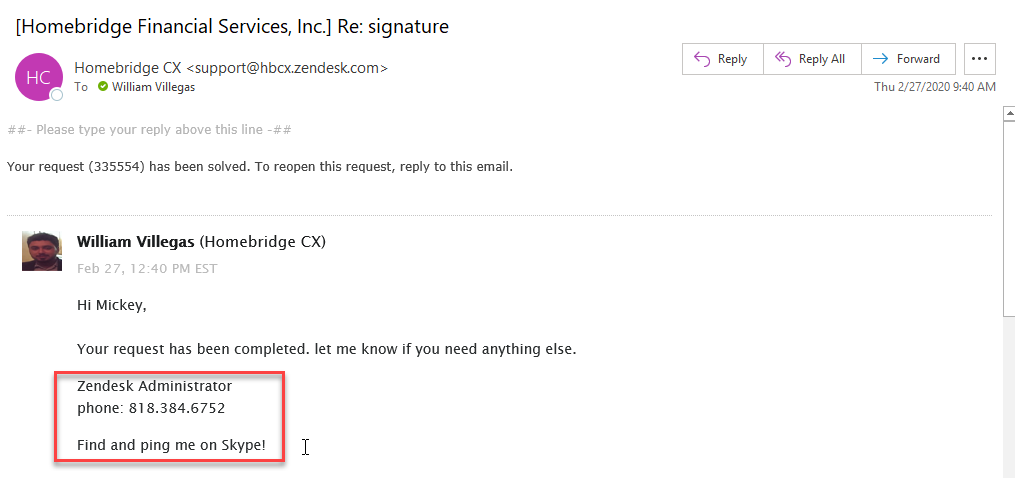
3. Your signature automatically gets added to your comments after you update the status of a ticket and to the email notifications.
a. Signature gets added automatically to the ticket comments
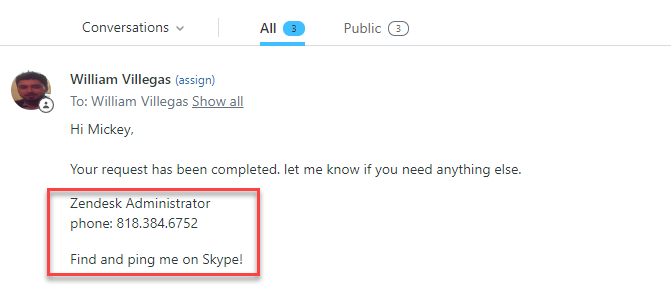
b. Signature gets added to email notifications.
Comments
0 comments
Please sign in to leave a comment.