
You crafted the perfect response and solved the ticket. Now you received another request asking the same question. No problem. You can Open the solved ticket and create a macro to apply the ticket properties for future use. Here's how.
Creating Macros from a solved ticket.
1. Locate and open the ticket that you want to copy the macro from. Note you can find your solved tickets from the statistics panel in your home screen. Click on Solved for a list of your recently solved tickets.
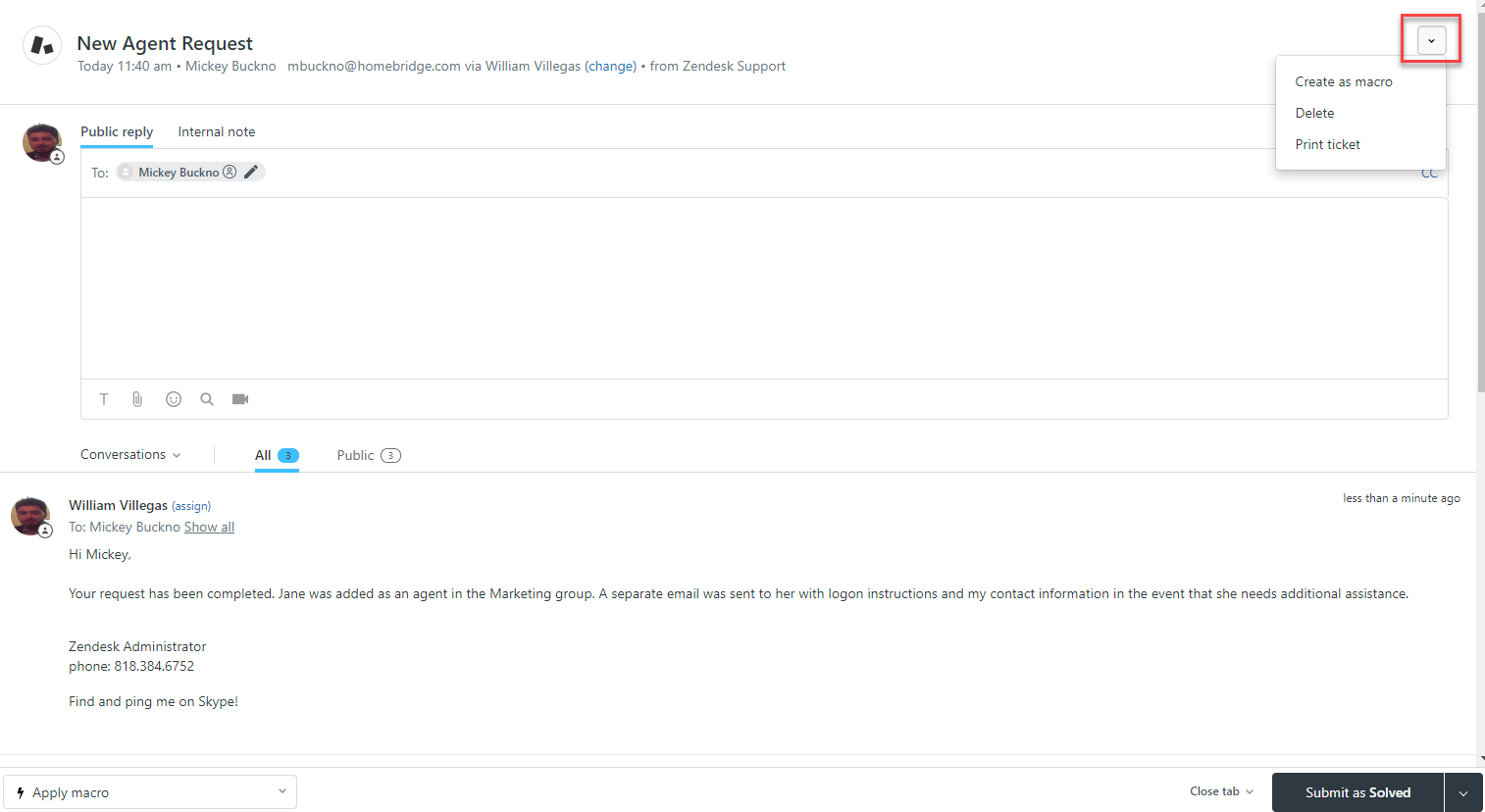
2. Click on the ticket options down arrow > Click Create as macro
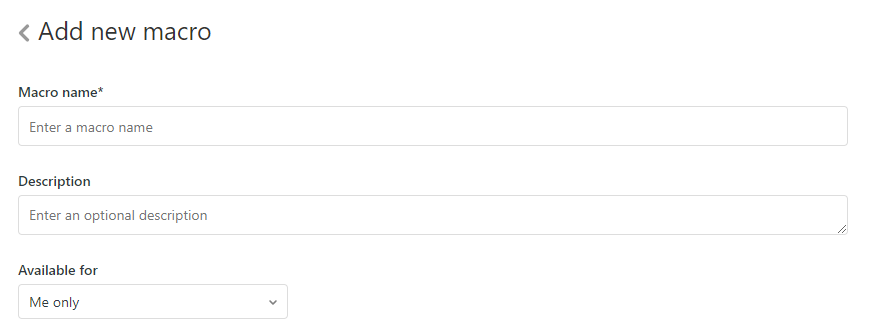
3. Add a Title, description, and select availability for the new macro.
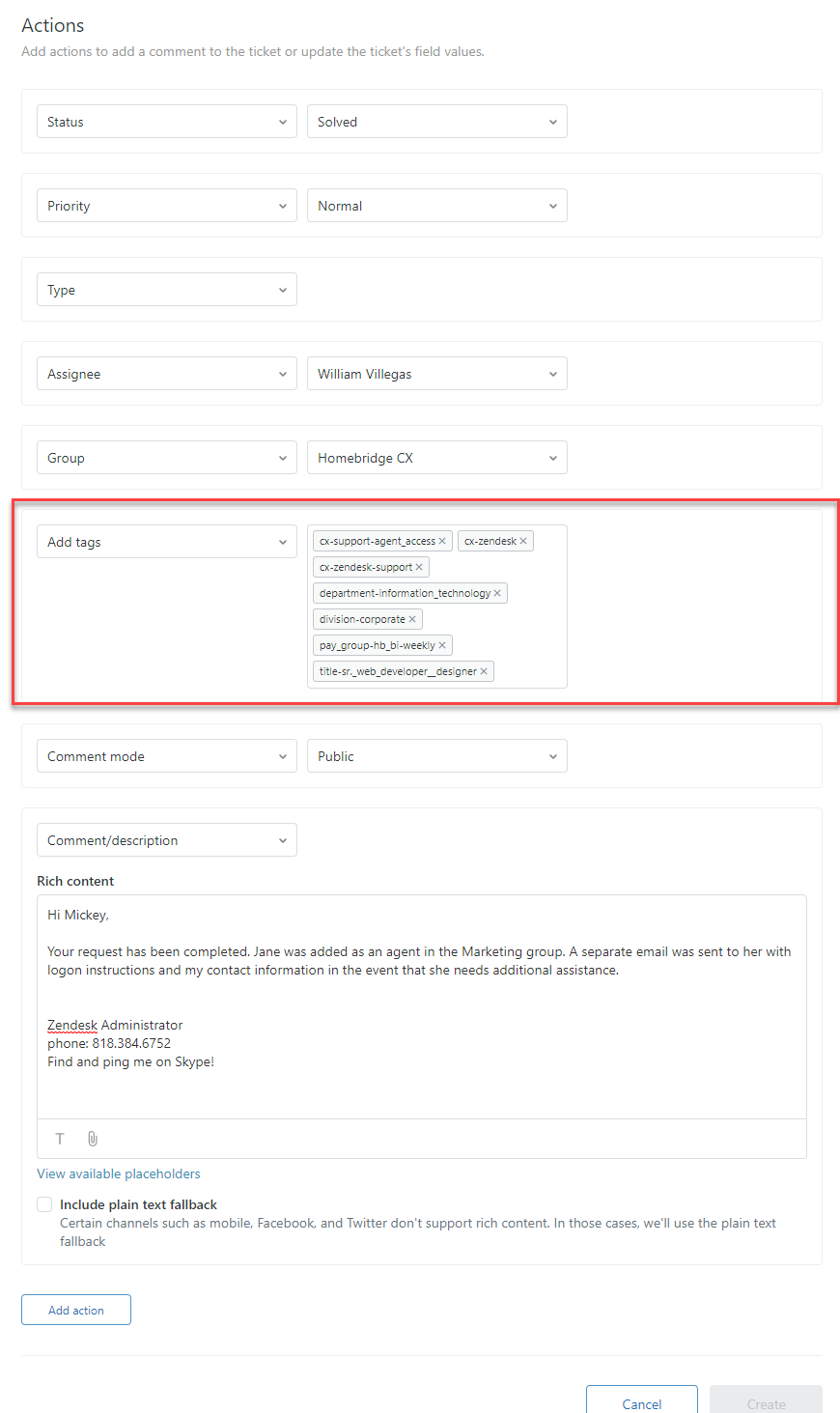
4. Carefully review all the actions and add/remove as needed.
5. Important: Remove Add tags if present.
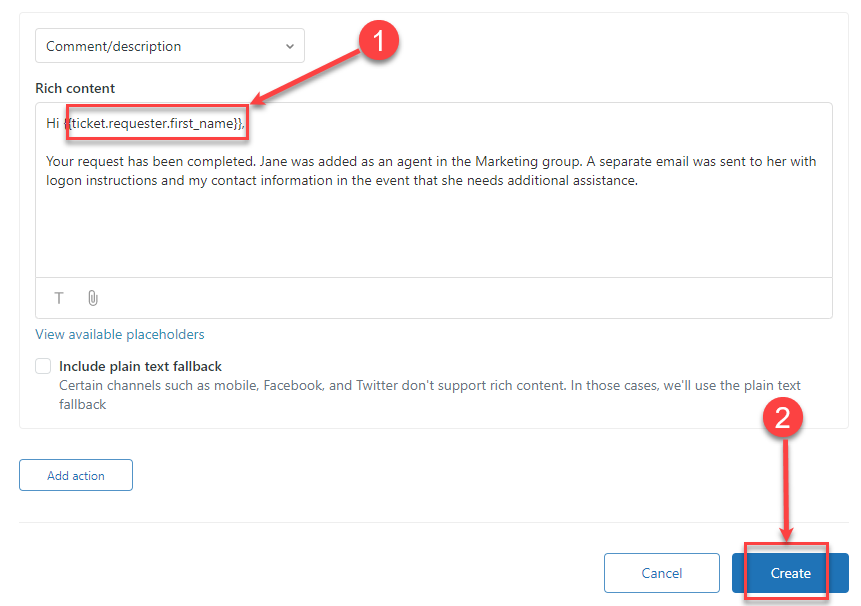
6. If the macro contains a comment, you might want to add the requester's name placeholder and rewrite the comment to make it more suitable for reuse > Click Create
Comments
0 comments
Please sign in to leave a comment.