
All your ticket attachment history is available on your ticket via downloadable links. You'll need to click on the link to download and view your attachment.
1. Click on your profile icon and select “My activities”
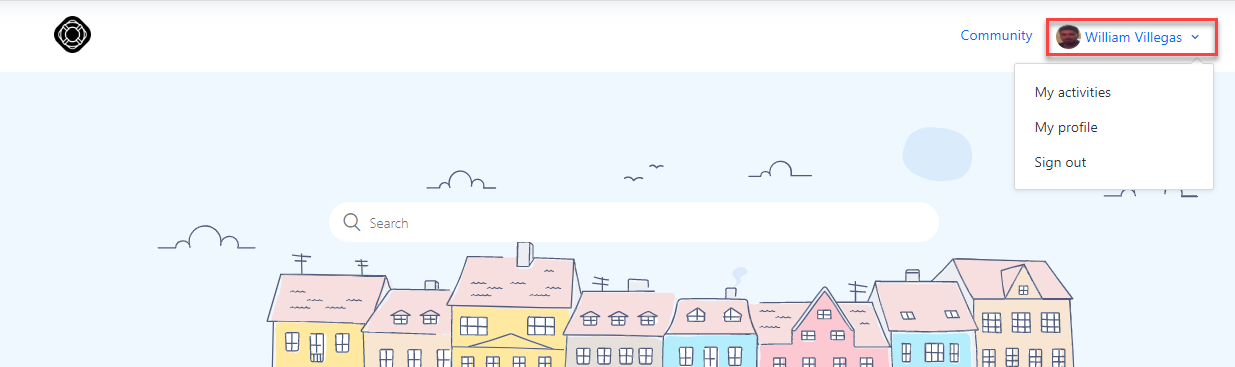
2. The default “Requests” page will display all your ticket history. Click on the desired ticket to view the related attachments.
3. You can find all the ticket attachment history on the propertied panel located on the right or on the body of the ticket.
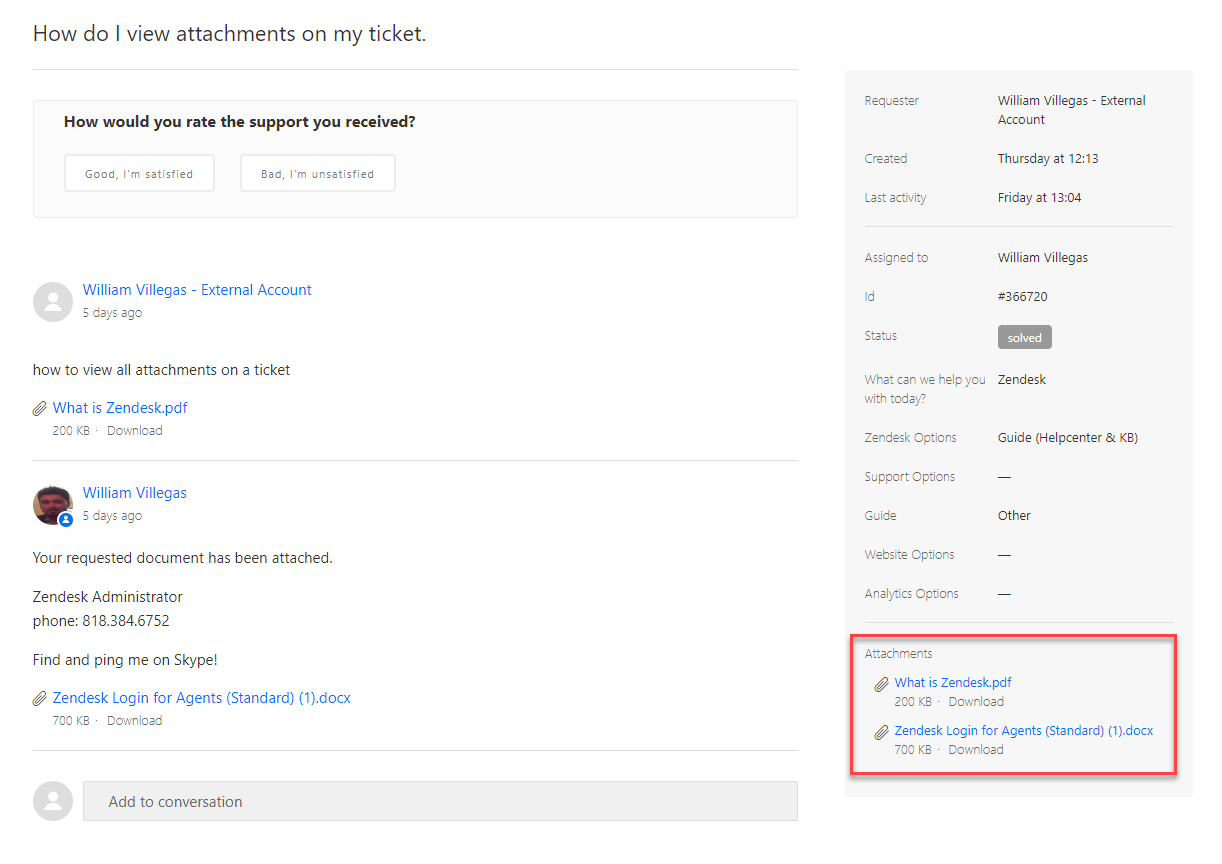
4. Click on the desired attachment to download and then view the attachment.
Comments
0 comments
Please sign in to leave a comment.