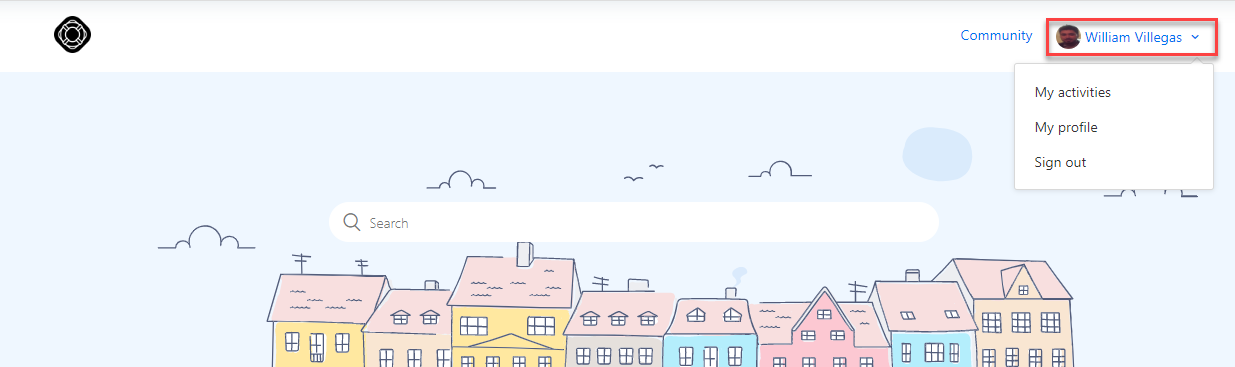
1. Click on your profile icon and select “My activities”
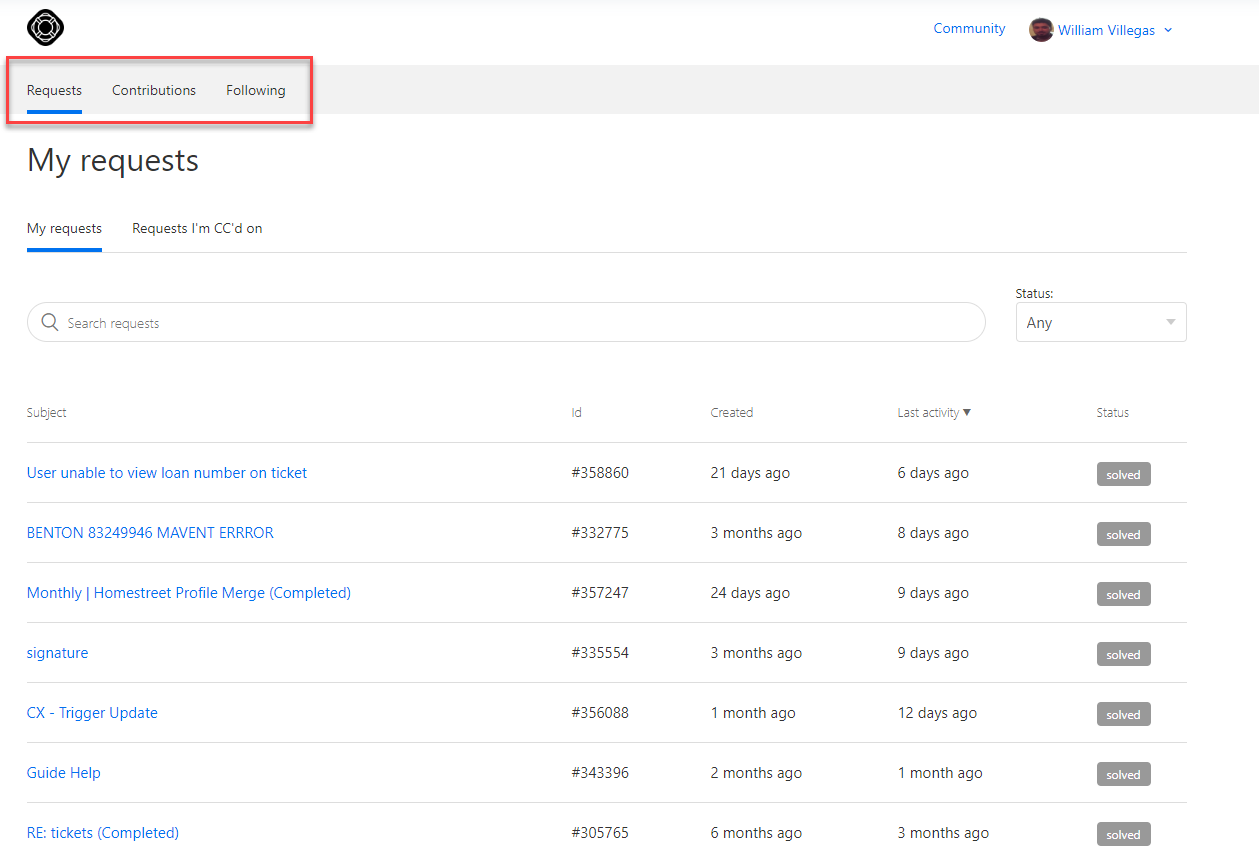
2. The default “Requests” page will display all your ticket history. Click on any ticket to view, update or reply to the ticket.

1. Click on your profile icon and select “My activities”
2. The default “Requests” page will display all your ticket history. Click on any ticket to view, update or reply to the ticket.
Comments
0 comments
Please sign in to leave a comment.